My transcription service Good Tape, which I used for nearly three years, happened to expire today. I pulled up the bill and did the math: €476, roughly 17,000 NTD. I was on the Pro plan. I checked this month’s usage: 20 hours still remaining.
Why I Wanted to Build It Myself
Because AI Agents are advancing so fast! They have already changed how I work. On top of that, I’m often in meetings: Taiwan-Japan, Chinese-English, and occasionally with Southeast Asian partners.
To be fair, three years ago Good Tape was a good tool. It was built by a Danish team, with security and accuracy as its selling points. But what it solves is the “after the fact” problem: you record, upload, and wait for the transcript to finish. No real-time recognition, no translation, no summary.
Over three years I paid €476 (about 17,000 NTD) for a transcription feature. Back then, having a feature like that was already a pleasant surprise. But if it could work “in the moment,” say, while a meeting is in progress, so that when the other person speaks Japanese I can immediately see Chinese, that would be even better. Not something to slowly sort out after the meeting ends.
The real-time translation competitors currently on the market:
- Transync AI: $8.99/month (10 hours), the closest to what I wanted, with real-time speech translation + meeting summaries + 60 languages. But you have to install an app, and going over your hours means buying extra hour packs (from $7.99/10hr). The more you use, the more it costs.
- JotMe: $9–15/month, 107 languages, but tied to a Chrome Extension
- Wordly: enterprise pricing, bought in hourly packages, starting at 10 hours
- KUDO: annual licensing, undisclosed pricing, aimed at large enterprises
- Palabra: requires installing a desktop app, tied to specific meeting software
What I wanted was actually simple: open the browser and use it, install nothing, works on phone and computer, lets me understand the conversation with AI’s help while meeting with foreign partners, with transparent and controllable costs. As I shared the other day, I decided to build it myself.
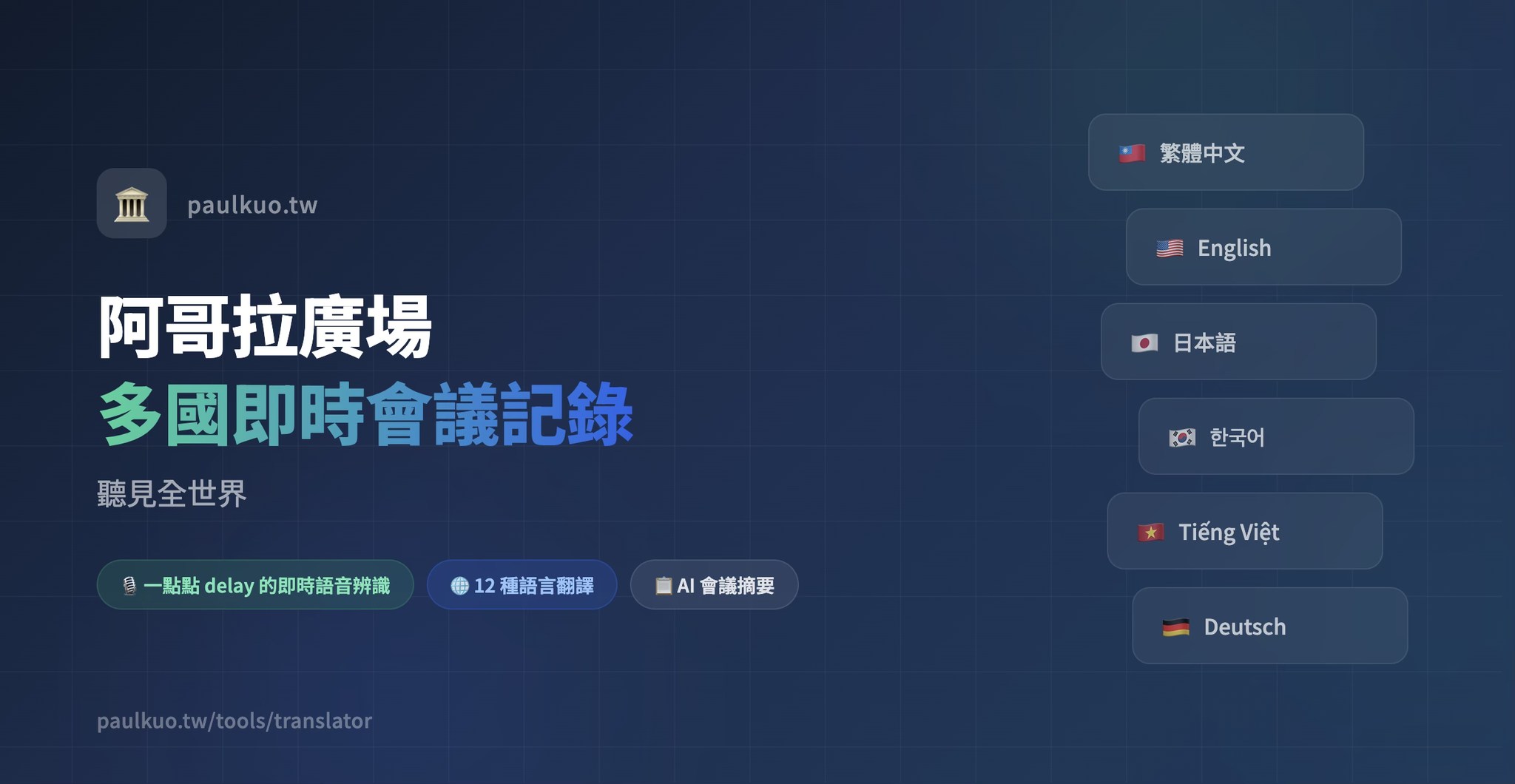
The Tool Is Called “Real-Time Meeting Notes | Agora Square,” Deployed on My Personal Website
- 🎙 Real-time speech recognition: text appears the moment you speak, not after the recording is done
- 🌍 Real-time translation across 12 languages: Traditional Chinese, Simplified Chinese, English, Japanese, Korean, Vietnamese, Thai, Indonesian, German, Spanish, French, Portuguese
- 📋 AI meeting summary: one click to produce key points + action items + decisions
- 📖 Glossary: custom professional terminology mapping to keep translations consistent
- 🖥 Subtitle mode: full-screen large text on a black background, for projector meeting rooms
- ⬇️ Full-text export: TXT / CSV, droppable into Excel
- 💰 Real-time cost tracking: how much each API call costs, transparent and visible
- 🔐 Three-layer authentication: Google / LINE / Facebook OAuth + invitation code
The front end is 2,533 lines, the back end 2,148 lines. One HTML file plus one Cloudflare Worker.
The Most Interesting Part Technically: Three-Way Speech Recognition Routing
For speech recognition, picking a single API won’t do. Different languages have different optimal solutions. The engine switches automatically based on the language:
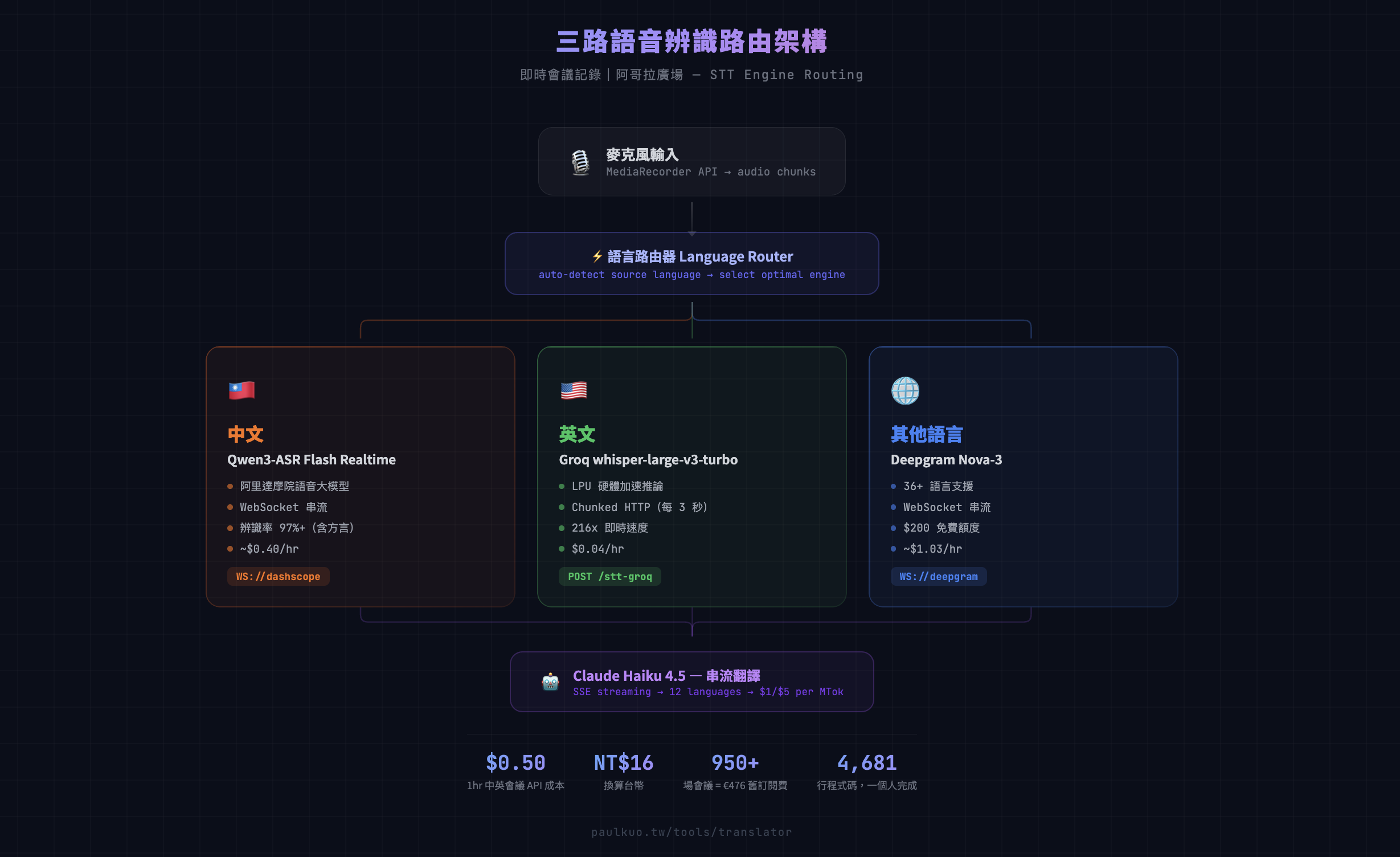
- 🇹🇼 Chinese → Qwen3-ASR (Alibaba Cloud’s Qwen team, WebSocket streaming)
- 🇺🇸 English → whisper-large-v3-turbo (LPU hardware acceleration, 200×+ real-time speed)
- 🌐 Other languages → Deepgram Nova-3 (WebSocket streaming)
Translation uses Claude Haiku 4.5 (Anthropic) uniformly, with streaming output, so the translation appears character by character rather than waiting for the whole thing to finish before displaying. Beyond output quality, cost was also a consideration.
- Groq: $0.02/hr, cheapest for English
- Qwen: ~$0.40/hr, 97%+ Chinese recognition accuracy, accurate on professional terms (and dialects too)
- Deepgram: $200 free credits, handles all languages
For a 1-hour Chinese-English meeting, API costs run about $0.50 USD. 16 NTD. Doing the math: the €476 I spent on Good Tape equals running over 950 meetings with my self-built tool. A year of Transync AI at $8.99/month is $108; the same money covers 216 meetings.
But What This Article Really Wants to Say Is Not About the Technology
Building this tool was really a process of learning “how to collaborate with AI.” I’m not an engineer. My background is in life sciences, theology, agricultural e-commerce, the circular economy, and so on. Writing code is hard for me. My first startup was building Fintech SaaS, but the entire toolset and service was built with the help of a seven-person team.
I have a feeling that collaborating with AI requires not just coding ability, but a new kind of literacy (I still can’t quite articulate it).
Breaking Down the Problem Matters More Than Writing Code
Integrating Groq isn’t a matter of saying “add Groq for me” and having it work. I split it into two phases. Phase A: the back end first builds the API endpoint, deploys it, and verifies the connection works. Phase B: the front end then builds language routing so it switches engines automatically based on the selected language.
Each phase is independently verifiable. If it breaks, only half breaks, and it doesn’t blow up entirely. This splitting approach wasn’t something AI taught me. I learned it from repeated failures: trying to do too much at once, running out of tokens midway or having the context compressed, which then breaks the parts you had already done right.
Asking the Right Question Is More Effective Than Telling AI to Just Write It
Not “build me a translation tool.” Instead: “The existing WebSocket proxy pattern won’t work with Groq, because it’s a REST API, not WebSocket. The front end needs to switch to chunked HTTP mode, slicing the audio into 3-second segments and POSTing them out. Will the onstop + restart loop have a race condition?”
Questions like this are what get useful answers.
Finishing a Feature Isn’t the End. You Need a Code Review
I asked Claude to check the code I had just written from an engineering perspective. It genuinely caught three problems: Groq failing silently on repeated failures, a closure safety issue with MediaRecorder, and the animation effect not triggering on the new engine.
I wouldn’t have found those three bugs myself. But I knew to “ask this question.”
AI Won’t Patrol for You on Its Own
My Fitbit health data was broken for several days, and I only found out because I happened to ask. The root cause was a function missing one argument, failing silently on every scheduled run. AI won’t get up at midnight to check whether your system has broken. You have to know what to ask, and when to ask it.
This Is a New Way of Working
In the past we talked about “information literacy,” meaning the ability to search and to judge whether information is true. What we may need now is “AI literacy”:
- Knowing how to break a big problem into small problems AI can handle
- Knowing how to describe technical constraints so AI gives you an executable solution
- Knowing when to trust AI’s output and when to verify it yourself
- Knowing where AI’s limits are: it can help you write, look things up, and review, but it won’t decide for you what should be done
This is not the exclusive domain of engineers. It’s a capability everyone who wants to make good use of AI needs.
I can’t write code, but I wanted to collaborate with AI to build a real-time translation tool (the idea that one offhand remark can turn into a piece of software has already come true).

💬 Comments
Loading...